top of page
Creating with
MuseScore
Step 1
Creating Your Blank Score
Note: These instructions presume you have downloaded and installed MuseScore. If you haven't, the software is available at no cost from https://musescore.org/en/download.
1. Open MuseScore.
2. Click on New Score

3. Select Choose Instruments or Create from Template

4. Click on an instrument family in the left column, then an instrument in the center column

5. Click on the arrow to add the instrument to your score.
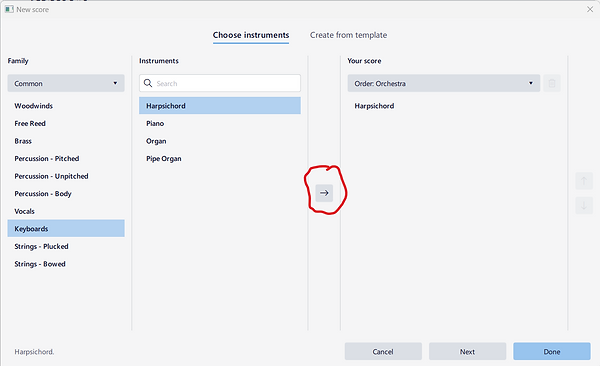
6. After you've added all the instruments. Click on the Order: dropdown to choose instrument order.

7. Click Done
bottom of page